
HR work is full of reading, writing, and summarizing: job postings, emails to candidates, employee handbooks, policies, and engagement survey results. That is exactly where Generative AI for HR helps, not to replace people but to cut the time spent on routine work and give the HR team time back for the work that genuinely needs a human. This guide explains how AI changes HR work, what Anthropic's own team uses Claude for, six use cases Thai organizations can start with, the cautions around bias and PDPA, and how to begin safely.
How AI changes HR work
Break HR work into pieces and most of it is "language work": producing text and digesting text. That happens to be exactly what language models do best. Drafting a job posting, summarizing a candidate's background, writing a handbook, answering the same benefits question over and over - all of it takes a lot of time without requiring deep judgment at every step.
The difference from existing HR systems like an HRIS or ATS is that those are good at storing and managing data, while Generative AI is good at producing and digesting language. The two complement each other rather than replace each other. The result organizations see fastest is that time spent on the first draft drops sharply, because instead of starting from a blank page the team starts from a draft that is ready to edit.
The key thing to understand from the start is that AI speeds work up, it does not decide for you - especially in HR, where the work affects people's lives directly. That point comes back in the cautions section. Marketing teams see a similar pattern and benefit fast too; for a comparison, read Generative AI for marketing.
What Anthropic's own team uses Claude for in hiring
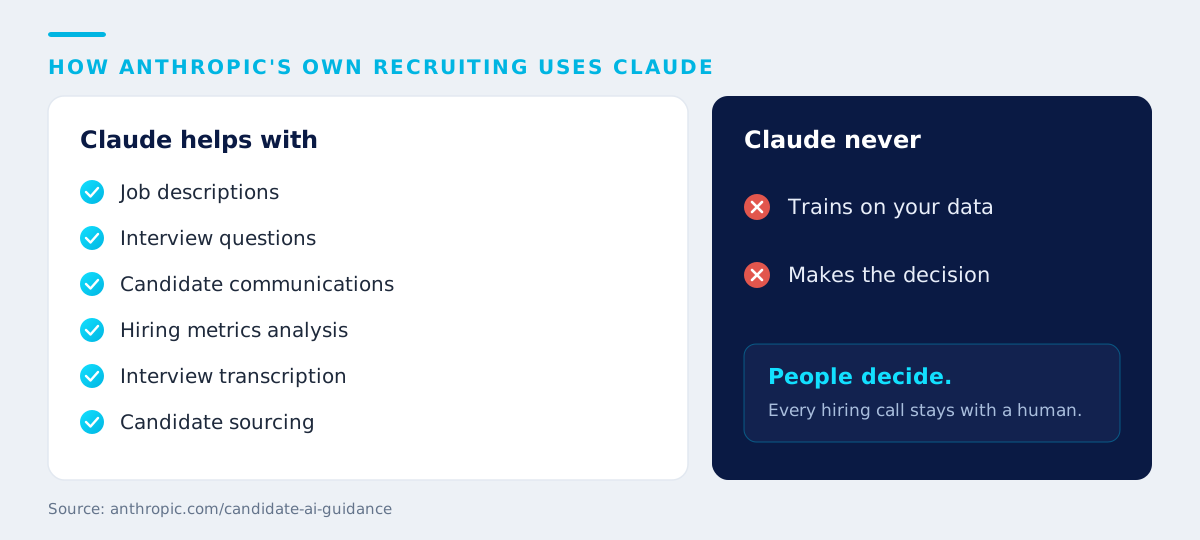
A verifiable and useful example comes from Anthropic, the maker of Claude, which openly publishes its guidance on AI use in its own hiring process. It states that it uses Claude to:
- create job descriptions
- develop interview questions
- draft and refine candidate communications
- analyze hiring metrics
- transcribe interviews
- identify candidates to source
More important than that list, though, is the line Anthropic draws clearly, telling candidates directly: "We don't use your data to train Claude or let Claude make hiring decisions." That is the lesson organizations should take away, because even the company that builds the AI keeps a firm boundary: AI can support the work, but decisions about people stay with people.
Another notable point is that Anthropic also publishes guidance for candidates on where and how far AI may be used, for example recommending that applicants write the first draft themselves and then use Claude to refine it, that Claude is fine for interview preparation, but that live interviews are done without AI assistance. Being that transparent reduces confusion for both the organization and the candidate. (Source: anthropic.com/candidate-ai-guidance)
Six use cases for Generative AI in HR
Here are six tasks a Thai HR team can adapt (example workflows offered as guidance - design them to fit your own policies and data):
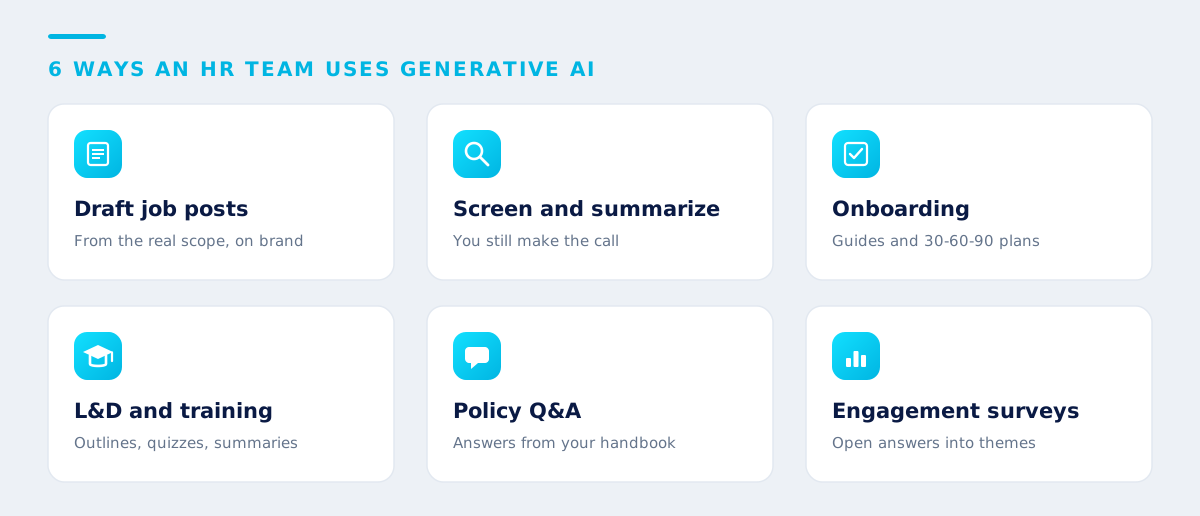
- Draft job postings (JD). Have AI draft from the real scope of the role and required qualifications, adjust the tone to your employer brand, and help check for language that could be discriminatory, then have HR and the hiring manager review before it is published.
- Screen and summarize applications. Have AI summarize candidate backgrounds against clearly defined criteria and produce short summaries a hiring manager can read quickly, plus draft interview questions tailored to each person's experience, with AI never being the decision-maker. People always choose.
- Onboard new hires. Draft welcome guides, 30-60-90 day plans, and FAQ sets so new joiners get productive faster and HR spends less time answering the same things.
- L&D and training. Help design course outlines, break long material into short lessons, build quizzes and case studies, and summarize post-training feedback.
- Answer employee policy questions. Build a question-and-answer system that pulls answers from your real handbook and policies (a RAG approach) to cut the repeat questions HR fields every day. Read the principles in What is RAG.
- Summarize engagement surveys. Digest large volumes of open-ended responses into key themes with supporting examples, so HR sees the overall picture and the urgent issues faster.
Workflows an HR team can start today
What makes the biggest difference to the output is not the model version but the quality of the brief you give it. Here is a prompt skeleton for drafting a job posting that an HR team can adapt right away:
Task: Draft one job posting for [role title]
Context: The real scope is [3-5 core responsibilities], required qualifications are [skills], the team is [size/structure], our culture is [short description]
Format: Sections for role overview / what you will do / qualifications / what we offer, no more than 400 words
Tone: Professional, easy to read
This skeleton comes from the five-part Role-Task-Context-Format-Tone framework, which works for almost any HR task. Read how to write briefs that produce usable work in Prompt Engineering for business. One important tip: keep the prompts that work as a standard set for the team, so everyone gets consistent quality instead of starting over each time.
Cautions for HR work
HR touches personal data and affects people's lives directly, so it needs more care than most functions:
- Bias in selection. A model can reflect bias carried in the data it learned from. Never let AI decide whether to hire or reject. Use it only to summarize against clearly defined criteria, and review periodically that no discrimination is occurring.
- Employee data and PDPA. Candidate histories, salary data, performance reviews, and health information are all personal data, and some of it is sensitive. Do not feed it into public tools without boundaries. Choose enterprise-grade tools that do not use your data to train models, and be explicit about which data types are allowed and which are not. Read more in AI governance and data security.
- People must make the final decision. Keep a human in the loop on anything that affects a person, including hiring, evaluation, and promotion, just as Anthropic itself does not let Claude make hiring decisions.
- Accuracy of policy information. AI can answer incorrectly or make things up, so an employee Q&A system should pull answers from your real documents and be able to cite the source rather than letting the model answer from memory.
- Transparency. Tell candidates and employees where the organization uses AI and set clear guidance for its use, the way Anthropic publishes guidance for its candidates.
How to start, and lifting the HR team through training
The safe, effective approach is to start small, measure, then scale:
- Pick low-risk document work first such as drafting a JD, drafting interview questions, or summarizing documents, without touching sensitive personal data yet.
- Set clear data boundaries. Put in writing which data must never be entered into an AI tool, and use enterprise-grade tools where data is controlled.
- Build a standard prompt set for the team. Keep the briefs that work and reuse them for consistent quality.
- Set human review points. Anything that reaches a candidate or an employee passes a person's eyes first.
- Measure, then scale. Check how much time it really saves and whether quality improved before expanding to more complex work.
The real bottleneck is usually not the tool but the HR team's own skills and confidence. Intelevo runs a Generative AI for HR course designed specifically for people teams, covering everything from writing briefs that produce usable work to practices for data handling and governance. Learn more at our in-house AI training service, and see how to run training that sticks in how to run in-house AI training effectively.
Conclusion
Generative AI for HR cuts the time spent on the language work that consumes a people team the most, from drafting JDs and screening and summarizing applications to onboarding, L&D, policy Q&A, and survey summaries. But the heart of it is setting the boundary correctly: use AI to speed up the work and help you think, not to decide for you, while protecting personal data under PDPA and watching for bias in selection. Organizations that start with low-risk work, set clear rules, and train their team to use it well will capture the value fastest and most safely.
If your HR team wants to start using Generative AI the right way, the Intelevo team can design the approach and train your team to use it for real. See our approach and the team behind it on the team and founder page.
Key takeaways
- Most HR work is "language work" (drafting, reading, summarizing), which is exactly what Generative AI does best, and first-draft time drops sharply.
- Anthropic's own team uses Claude for job descriptions, interview questions, candidate communications, hiring metrics, transcription, and sourcing, but states it does not use candidate data to train Claude or let Claude make hiring decisions (source: anthropic.com).
- Six use cases to start with: draft JDs, screen and summarize applications, onboarding, L&D, policy Q&A, and engagement survey summaries.
- Cautions: bias in selection, personal data and PDPA, accuracy of policy answers, and people making the final decision every time.
- Start with low-risk document work, build a standard prompt set, add human review points, measure, then scale.
Frequently asked questions
Will AI replace HR
No. AI drafts documents, summarizes information, and cuts down time-consuming routine work, but the heart of HR still needs people: decisions about individuals, interviewing, maintaining relationships, and judgment on sensitive cases. Even Anthropic, the maker of Claude, states clearly that it does not let Claude make hiring decisions. AI is an assistant that gives HR time back for more strategic work.
Is using AI to screen applications a bias risk
Yes, if you let AI decide, because a model can reflect bias carried in the data it learned from. The safe approach is to use AI only to summarize and organize candidate information against clearly defined criteria, never as the decision-maker, with a person reviewing and deciding every time, plus periodic checks that no discrimination is occurring.
Which task should an HR team start with when using Generative AI
Start with repetitive, low-risk document work such as drafting job postings, drafting interview questions, or summarizing long documents, without using sensitive personal data yet. Once the team is comfortable and clear practices are in place, expand to more complex work such as onboarding or a policy Q&A system.
Enterprise AI insights, a few emails per month. No spam, unsubscribe anytime.
Related articles
Want your HR team to use AI effectively and safely?
Talk to the Intelevo team to plan how your organization brings Generative AI into HR work, with our Generative AI for HR course and a governance framework. The initial consultation is free, and our team responds within one business day.
Start a consultation
An AI Transformation advisor and trainer, author of a book on using AI in marketing, and a guest lecturer at leading universities - having trained more than 10,000 learners.
View full profile